Master Pinterest Marketing with Canva Pin Templates
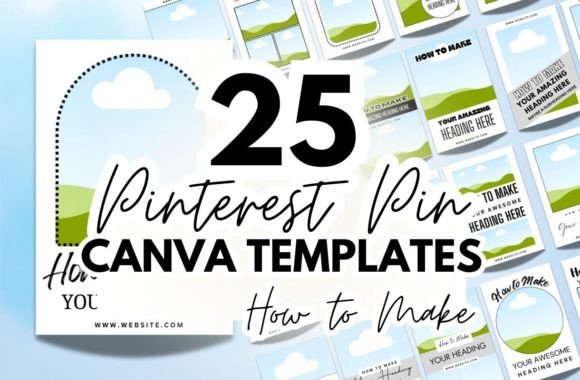
In the crowded world of digital marketing, capturing attention on a visual platform like Pinterest requires more than just a good product photo; it demands a strategic visual hierarchy. For entrepreneurs selling digital goods—whether they are printable planners, wall art, or comprehensive e-books—the difference between a user scrolling past or clicking through often lies in the design of the pin itself. This is where a robust collection of Pinterest Product Pin Canva Templates becomes an indispensable asset, serving as the bridge between your raw product files and a polished, click-worthy marketing strategy.
The Anatomy of a High-Converting Product Pin
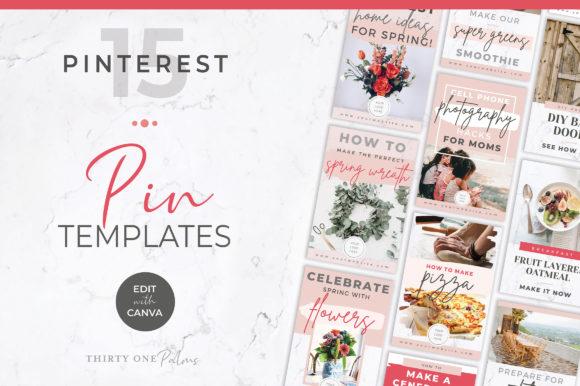
Understanding the visual personality of your pins is crucial for brand consistency. A successful template acts as a framework that supports your content rather than overwhelming it. When selecting Pinterest Product Pin Canva Templates, you are looking for designs that prioritize the "hero" image—the product itself—while integrating modern typography to convey essential information. The visual style needs to be versatile. For instance, a minimalist chic aesthetic might use ample white space and a clean sans serif font to let a detailed planner design breathe, whereas a bold, vibrant style might utilize contrasting colors and a heavy display font to announce a flash sale on digital downloads.
The overall appeal of these templates lies in their ability to mimic professional editorial design without the associated agency costs. They provide the structure for visual hierarchy, ensuring that the viewer’s eye travels from the product image to the headline, and finally to the call-to-action. This flow is essential for readability on mobile devices, where the majority of Pinterest browsing occurs. A well-designed template ensures that your text overlays are legible against various backgrounds, maintaining a professional appearance that builds immediate trust with potential buyers.
Strategic Applications: Beyond the Basic Pin
While the primary function of these design assets is for Pinterest marketing, their utility extends across your entire digital presence. The versatility of editable Canva files allows you to repurpose these layouts for Instagram Stories, Facebook ads, or even website headers. This cross-platform adaptability is vital for maintaining a cohesive brand identity. When your Pinterest graphics match the visual language of your blog or online store, you reinforce brand recognition, making it easier for customers to identify your work in a sea of content.
Consider the practical aspect of font pairing within these templates. A template that pairs a sophisticated serif font for headers with a highly legible sans-serif for body text demonstrates an understanding of typographic contrast. This isn't just about aesthetics; it’s about function. The serif adds personality and authority, while the sans-serif ensures that details like pricing or file formats are easy to scan. As a creator, you can leverage these pre-tested pairings to avoid common design pitfalls, such as using two similar fonts that clash or selecting a script font that is unreadable at small sizes.
Customization and Brand Identity
The true power of using Pinterest Product Pin Canva Templates lies in the customization process. You are not buying a rigid image; you are acquiring a flexible design system. To make these assets work for your specific niche, you need to treat them as a starting point for your brand’s visual storytelling. This involves more than just swapping out a photo; it requires a critical eye for color theory and typography.
For example, if you are selling boho-style digital art, you might adjust the template’s color palette to earth tones and swap the default typeface for a modern handwritten font or a creative font with organic shapes. Conversely, if you are marketing a corporate workbook, you would stick to a structured grid and use a clean, premium font to convey professionalism. The goal is to ensure that every pin you publish serves as a standalone piece of your larger brand identity.
Practical Tips for Implementation
To get the most out of your template bundle, follow these practical guidelines:
- Focus on Readability: Before finalizing a design, zoom out or view it on your phone. If the text is difficult to read against the background image, adjust the opacity of the overlay or add a subtle drop shadow. Never sacrifice legibility for style.
- Test Your Font Pairings: While templates come with suggested typography, feel free to experiment. However, stick to the "rule of two"—limit yourself to two distinct typefaces (e.g., a display font for impact and a sans-serif for clarity) to avoid visual clutter.
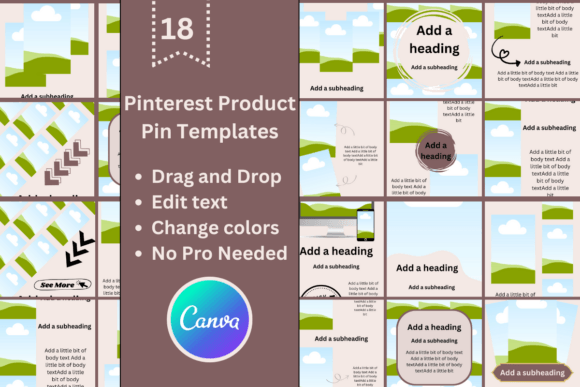
- Consistency is Key: Select 3-5 templates from your bundle of 18 that best fit your brand aesthetic and rotate them. This creates a recognizable pattern for your audience without making your feed look repetitive.
- Optimize for Verticality: Pinterest favors a 2:3 aspect ratio. Ensure your product images are cropped or framed to fit this vertical space effectively within the template bounds.
Ultimately, the goal of using Pinterest Product Pin Canva Templates is to streamline your workflow so you can focus on what you do best: creating. By investing in high-quality design assets, you equip yourself with the tools to present your digital products with the polish and professionalism they deserve, turning casual browsers into loyal customers.